Bug #10917
Hotel GUI embedded mode selected tab indicator
100%
History
#1 Updated by Greg Shah 8 months ago
- File hotel_gui_embedded_mode_guests_tab.png added
In Hotel GUI embedded mode, you can select any of the tabs (top right). The selection works (it changes what is in the iframe) but there is no highlight or indicator of which tab is selected.
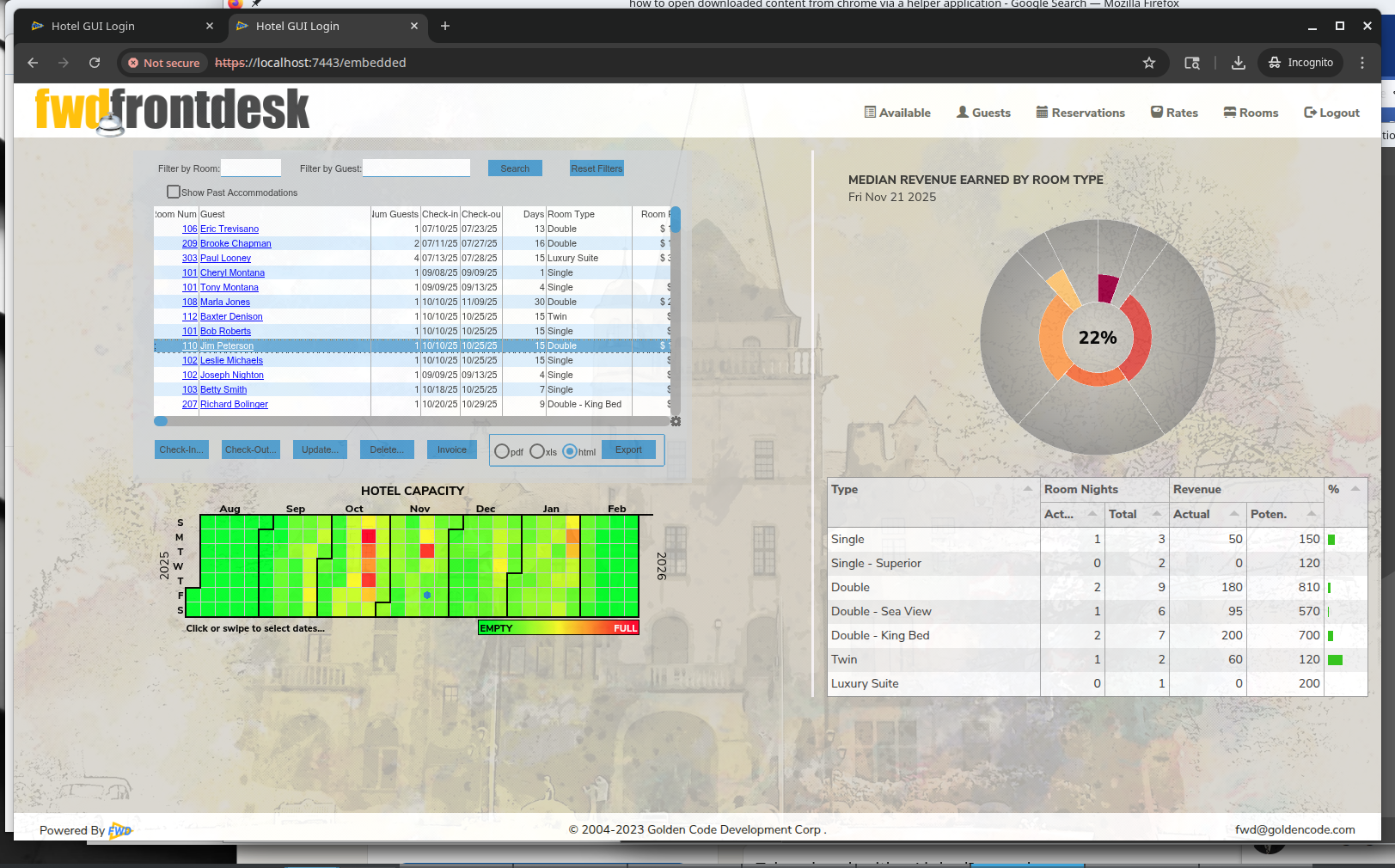
I thought we had some color or other highlight that we drew to give an indicator of the active tab. Am I mis-remembering?
#3 Updated by Constantin Asofiei 8 months ago
It seems to be something related to bootstrap/css - the JS handler on click sets the 'active' class on the 'li' element, but after that something else removes it. I can't figure it out.
#4 Updated by Constantin Asofiei 8 months ago
- Status changed from New to Test
- % Done changed from 0 to 100
- Assignee set to Constantin Asofiei
This is fixed in hotel gui rev 417.
#5 Updated by Greg Shah 8 months ago
- File hotel_gui_rev_418_embedded_mode.png added
- % Done changed from 100 to 0
- Status changed from Test to WIP
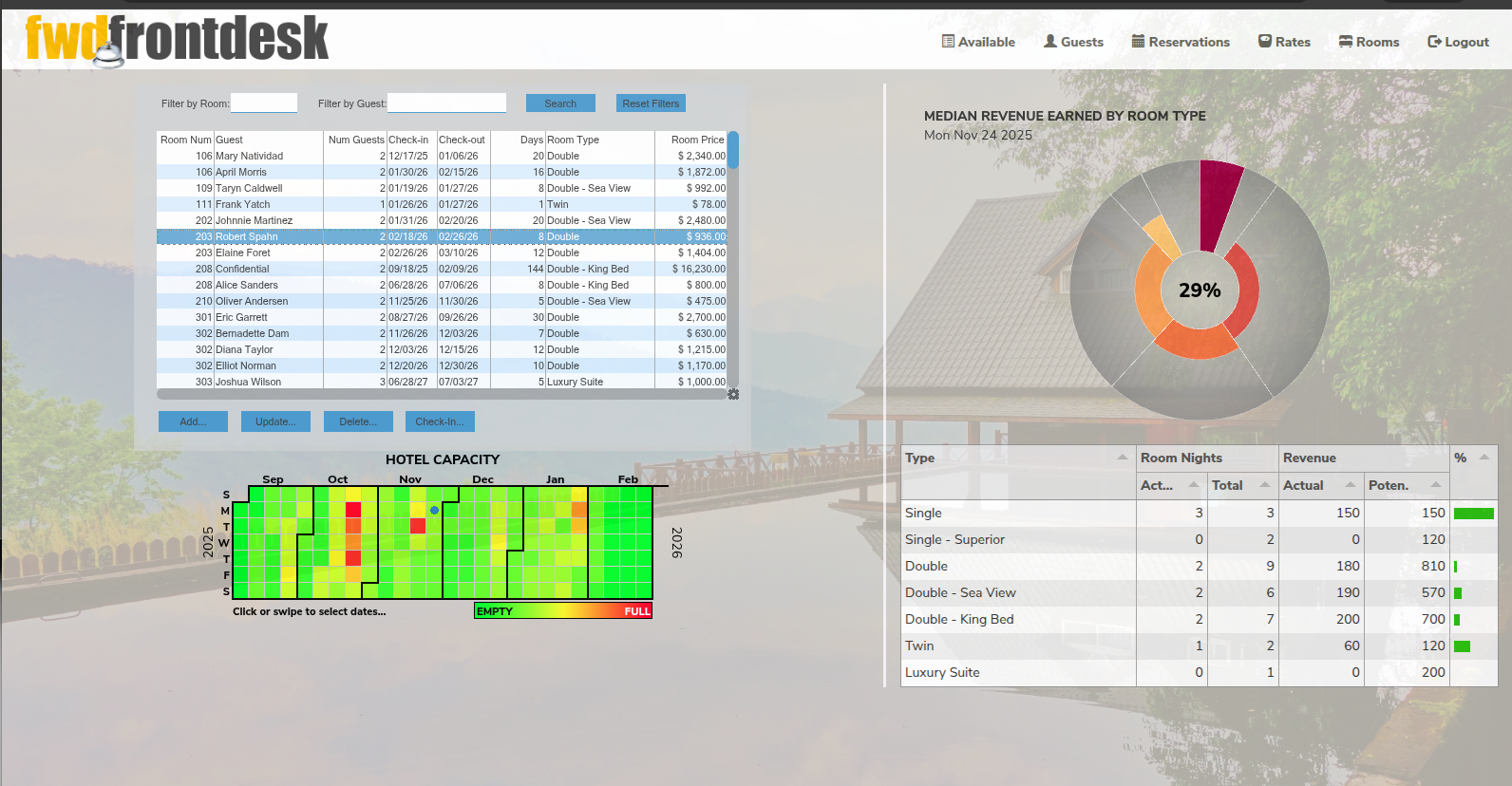
I've tested rev 418, I don't see any difference. I can't tell by looking at the tab names, which one is currently selected. It happens to be "Reservations" here but you can only tell by looking at the contents of the iframe.
#6 Updated by Constantin Asofiei 8 months ago
Greg, did you rebuild hotel.jar (ant jar deploy.prepare) ? Also try a force-refresh via CTRL-SHIFT-R in the browser.